


You’ve gone to all the trouble to format a chart nicely and you’d like to reuse the format again some time in the future. Instead of recreating the format each time, save it so you can apply it with a single click.
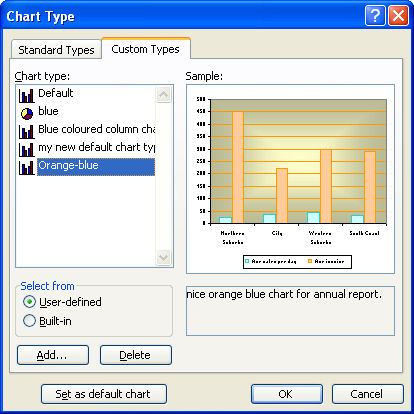
In Excel 2003, right click your chart and choose Chart Type > Custom Types tab and click the User-Defined button. When you do this an Add button appears – click it and type a name and description for your chart when prompted to do so. Click Ok twice when you are done.
Now, in future, when you create a chart you can select this format from the Chart Wizard options or apply it to an existing chart by selecting the chart, right click and choose Chart Type > Custom Types and click User-defined. Select your format and click OK to apply it to the chart.
One word of warning, for some reason, Excel includes chart titles as a format so you’ll lose your existing chart title if you have one when you apply the new format to it. It’s not a big deal but it helps to know that it’s going to happen.
Post a Comment
Please feel free to add your comment here. Thank you!