


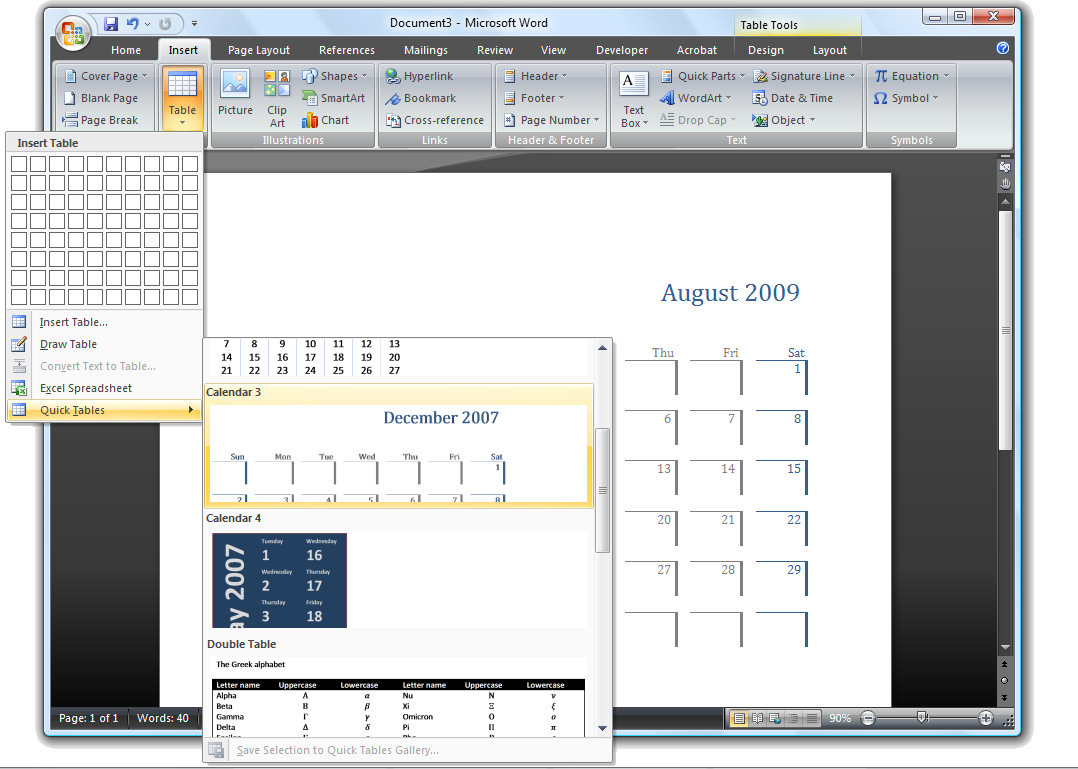
New to Word 2007 is its Quick Tables feature which provides custom formatted tables for inserting in a document. To see the tables available click the Insert tab and choose Table > Quick Tables. The preconfigured tables include calendars and tables with sub headings and other features already formatted. Click a table to insert it and, once in the document replace the text in the table with your own text such as the dates for your desired calendar month.
These tables are a quick way to create some really great looking tables, one wonders though why no one made the calendar options just a little bit smarter so they automatically enter the desired month and days. Just a thought Microsoft!
Post a Comment
Please feel free to add your comment here. Thank you!