


I use Control + S to save an Office document on the fly and it’s something that is so automatic that I just do it, hundreds of times a day.
There are other things I’d like to do as quicky but which have no shortcut key assigned to them. In Office 2007 this is an easy situation to rectify.
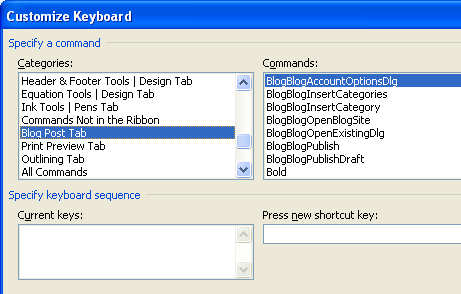
To create your own keyboard shortcut, click the Office Button at the top left of the window and choose Word Options, Customize. You’ll see a Customize button next to a Keyboard Shortcuts option, click it and you can create a shortcut for any Word command of your choice as well as for symbols, fonts and the like.
What is particularly useful is that there’s a list of items which aren’t included on the Ribbon that you can still access if you ycreate your own custom shortcut to do so.
Post a Comment
Please feel free to add your comment here. Thank you!