


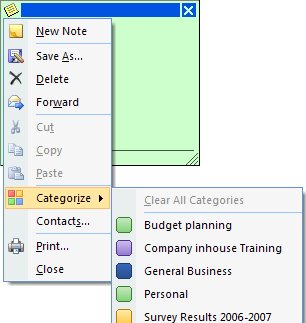
Ok, so yellow sticky notes just don’t work for me. I’d rather mine were, well, anything but yellow. In Outlook 2007 you can color your Notes by clicking the indicator in the top left corner, choose Categories and then the category to assign the note to – the category color becomes the Note color. In Outlook 2003, click the indicator in the top left corner of the note and choose Color and then a different color for your note.
To change the default color in Outlook 2003 and Outlook 2007, choose Tools, Options, Preferences tab and click Note Options. Set the Color value to your chosen color and click Ok twice. There’s only a limited color selection available this way but it does make a change from yellow.
Post a Comment
Please feel free to add your comment here. Thank you!