

Articles | Photoshop and Photography blog | about me |e-mail

ProjectWoman

Welcome to Helen Bradley's Microsoft Office and productivity blog. I'm a lifestyle journalist specializing in business and consumer software and here you'll find handy hints for using software such as Microsoft Office 2007 and other office applications. Elsewhere on projectwoman.com you'll find tutorials, articles, how tos and tips on photography and Photoshop CS3. My publishing credits include PC Magazine, Windows XP magazine, CNet, PC User magazine, InformIT and others.

Tuesday, June 5, 2007

Blog from Word 2007


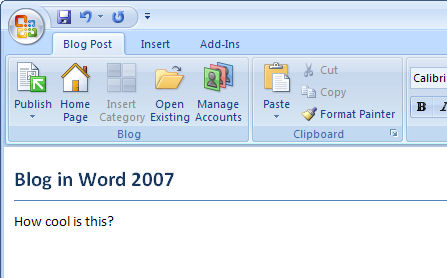
One of the coolest features in Word 2007 is the ability to blog from Word.

To do this, click the Office Button and choose New, New Blog Post. Click the Register Now button and choose your blogging tool, it's Blogger for me. Enter the details of your account and choose the picture option to use for uploading images. If you have multiple blogs running from the one account, choose the blog to use with Word. It's very simple then to create posts and upload them without having to
crank up your browser.

Labels:

Add to Technorati Favorites

0 Comments:

Post a Comment

Links to this post:

Create a Link

<< Home