


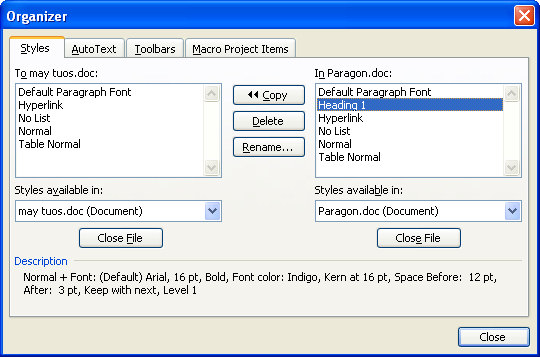
If you often work on documents that need to use custom styles, you can easily copy the styles from one document to another – if you know how. Since you’re reading this, you’re about to be invited into the inner circle of knowledge.
So, start with the document open into which you want to copy the styles. Choose Tools, Macro, Macros, Organizer – yep! sounds weird but it works!
Now click the Close file button on the right to close Normal.dot and then click Open File and browse to find the file to copy the styles from. If this is a regular file and not a template, you’ll have to select the correct file type from the Files of Type list. When you open your file, click the Styles tab and you can select and copy styles from one document to the other. Simple when you know how?
Post a Comment
Please feel free to add your comment here. Thank you!