


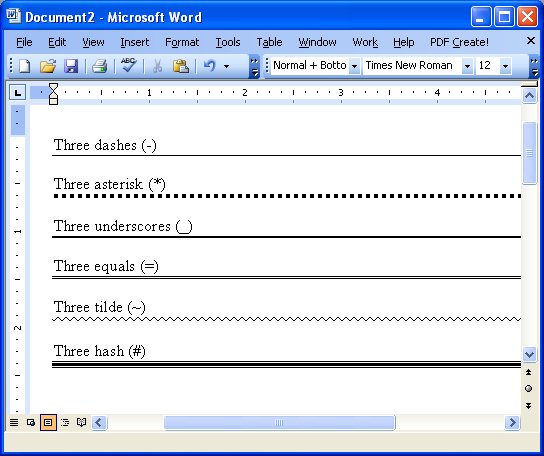
WordPerfect had a great tool for creating horizontal lines and when I came to Word it took me ages to realize that Word didn’t have a tool anywhere near as useful. However Word can create horizontal lines if you know how to do it. Press the Enter key and then type three hyphens in a row and press Enter again – Voila! (well at least we hope so) – a horizontal line. If it doesn’t work for you choose Tools > AutoCorrect Options > AutoFormat As You Type tab and enable the Border Lines checkbox. Then try again. There are other line styles that you can use for example three asterisks creates a blocky line, three underscores a thick line, three equal signs a double line, three pounds [#] signs, an attractive thin thick thin line combination, and three tildes a squiggly line.
While Word’s lines aren’t as intuitive as those in WordPerfect 5.1 perhaps by giving us six different styles it’s set to win back some friends.
Post a Comment
Please feel free to add your comment here. Thank you!