


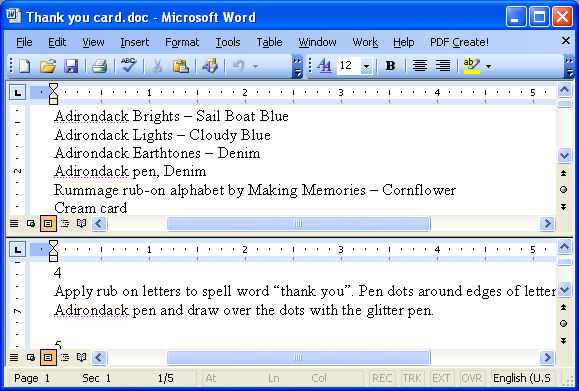
Long documents are harder to manage than short ones, and it can be difficult to cut and paste an item on page 1 all the way to page 20. I find it easier to do when I can see the source and target area on the screen all at once. That’s why I love the Split window tool.
Here’s how to use it, position the document on the screen where you want it to be split in two and choose Window, Split. Now click where you want should be. You’ll get two horizontal panes each with its own scroll bars and you can move around the panes independently and show different places in the document in each. You can also drag and drop between panes.
When you’re finished editing, choose Window, Remove Split.
How can I split into THREE panes?
thanks
Sorry Sarah, You can only split a document into two, not more panes. cheers Helen